
Finally! A phishing 🎣 email targeted at me to analyse – let’s jump in.
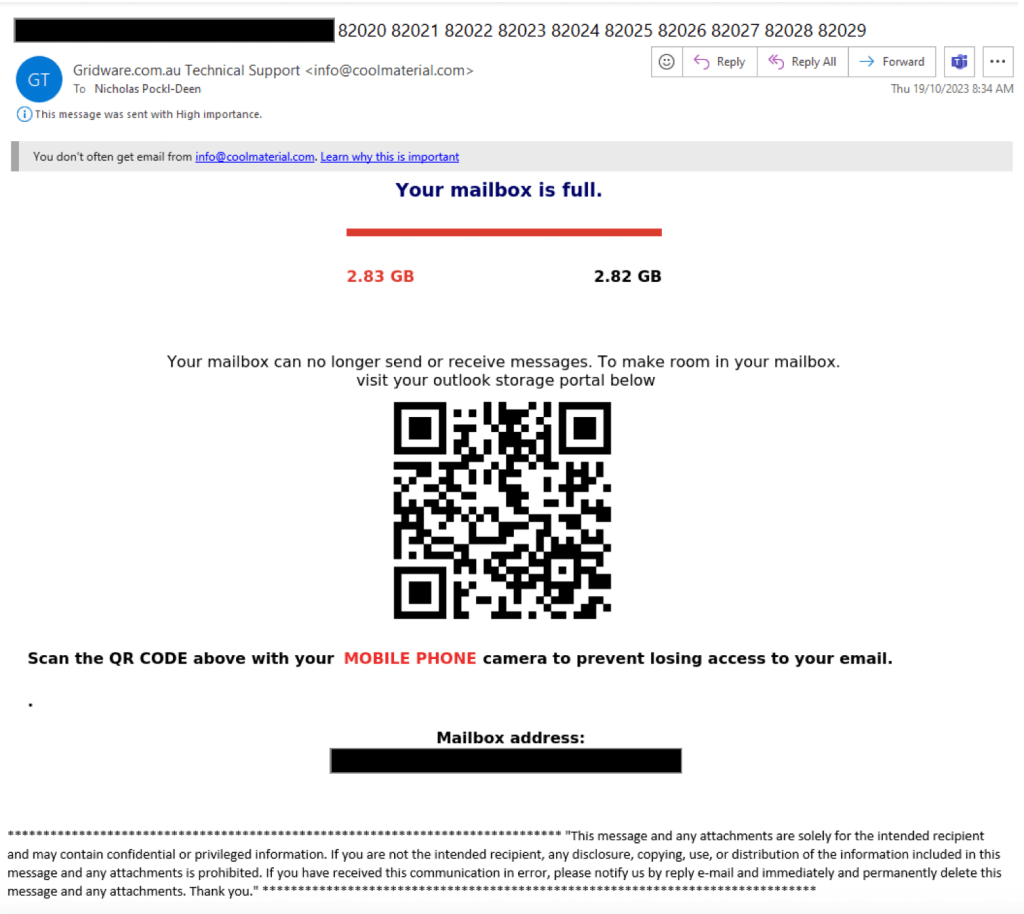
This phishing email 📧, and three identical replicas slipped through our email filter and hit my Inbox. Intrigued by my first Gridware phishing email, I’ve taken a closer look at the email and its contents 🕵️♂️. Some interesting points to this email:
- Email alias used for Sender: Gridware.com.au Technical Support.
- Sense of urgency: Your mailbox is full.
- Use of QR Code instead of hyperlinked image, attachment or URL.
These points are important for several reasons‼
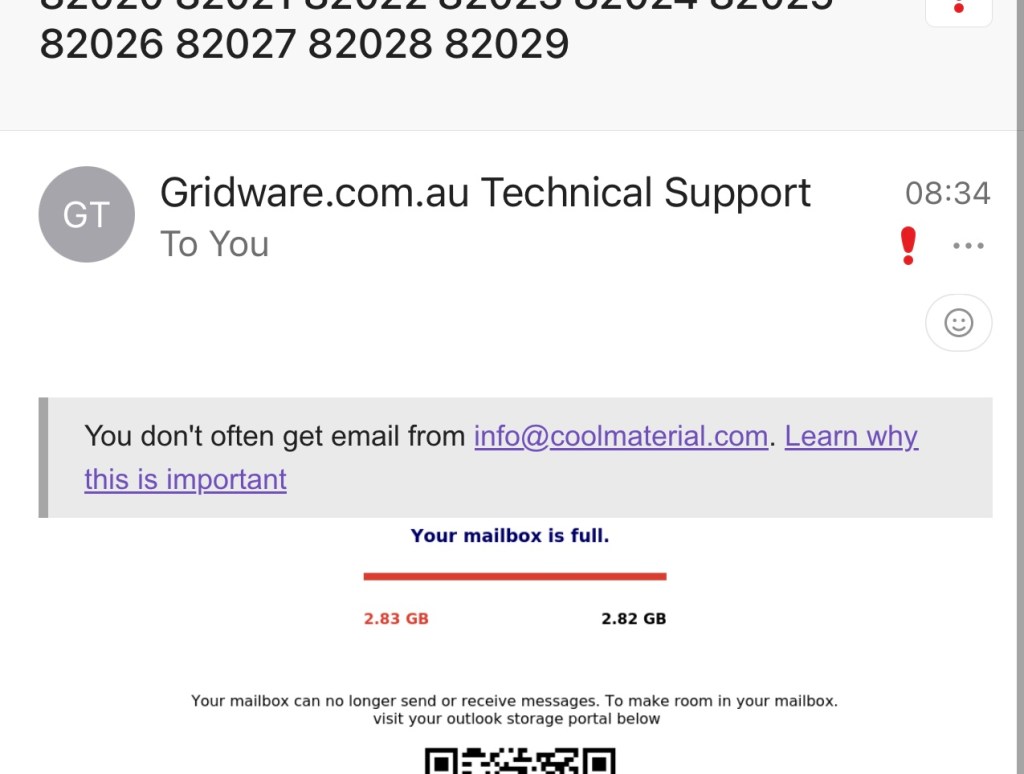
- The use of the email alias helps conceal the origin email address (info@coolmaterial.com). This is especially effective on mobile email clients (i.e. Outlook app – screenshot below) assisting in the perceived legitimacy of the email.
- A message stating that my mailbox is no longer functional as a result of capacity limits. This will invoke an immediate response without considering any ‘red flags’.
- The use of a QR Code will encourage the user to interact with the email on a mobile device, a clear goal of the actor. QR code user experience on a mobile device is much better compared to a workstation/laptop.
Whilst I won’t include a comprehensive email header analysis, some interesting points worth mentioning include;
- Authentication-Results: spf=pass (sender IP is 149.72.70.15) smtp.mailfrom=sendgrid.net; dkim=fail (signature did not verify) header.d=sendgrid.net;dmarc=none action=none header.from=coolmaterial.com;compauth=pass reason=116
- The Sender IP field pointed to a sendgrid.net IP address, a platform used for legitimate email delivery, likely being abused by this threat actor (TA) to deliver phishing emails.
- X-Originating-IP: 127.0.0.1
- This originating IP Address was spoofed, pointing to a private address, concealing the true email origin.
Engaging with the QR code present in the phishing email redirected me to a website impersonating a Microsoft 365 sign-in page (shell site). This Microsoft site is fake.
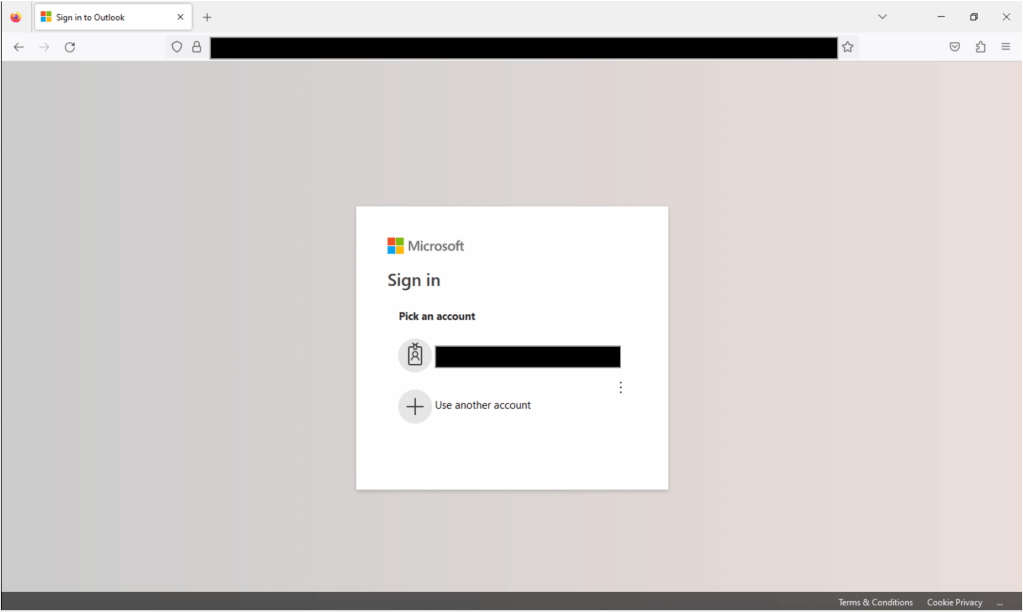
Preparing a fraudulent sign-in shell site that mimics the organisation’s email hosting provider is typical of this attack chain. Making the user feel that the QR code is authentic. Interestingly, the shell site prompted me to re-enter my username, whether an error or by design to validate the username is unclear.
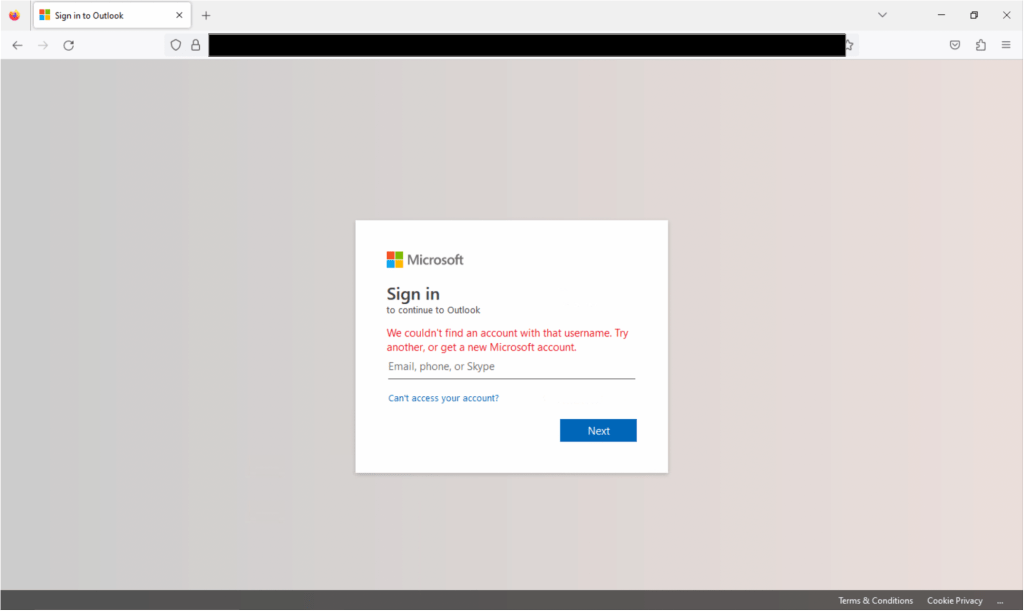
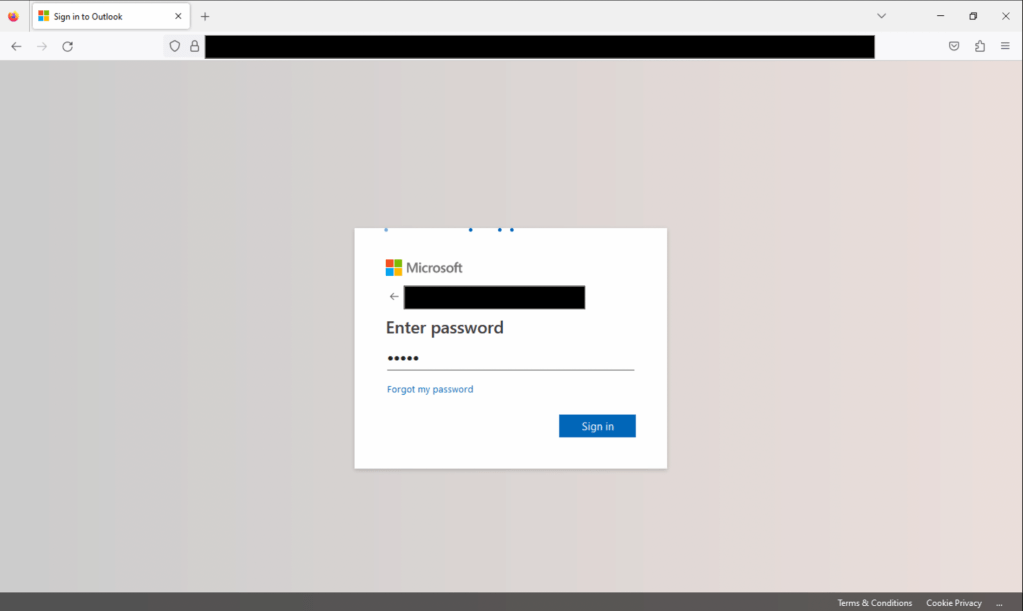
After entering my username, the shell site requested my password.
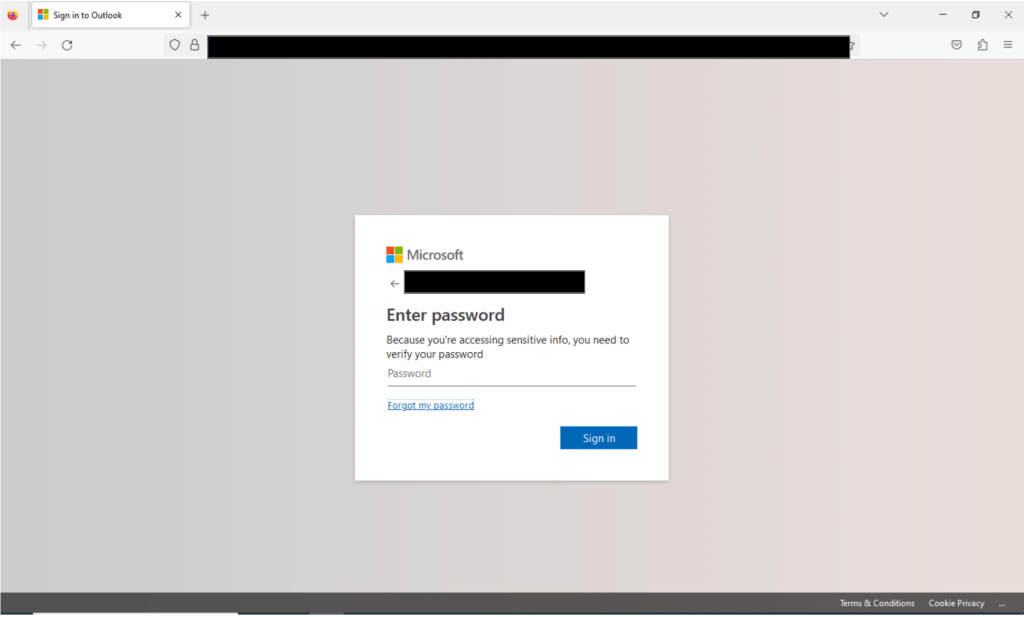
Surprise surprise! Here comes the credential collection. The Forgot my password link did not work or redirect me, leaving only one option.
ENTER YOUR PASSWORD
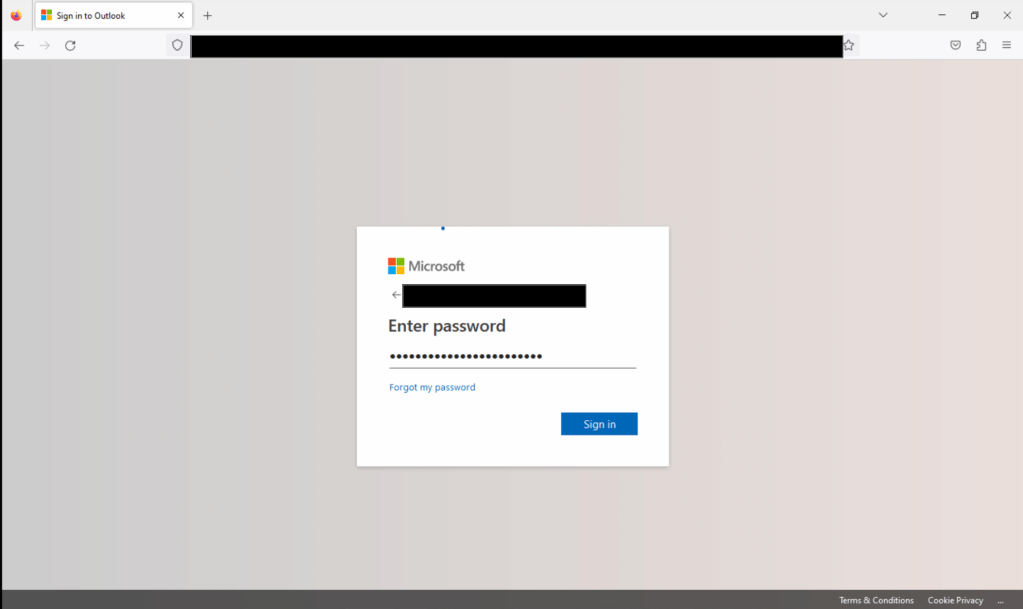
This was an excellent opportunity to send a message to the TA who sent me the email 😁. I’ll leave it up to the imagination as to what my password was.
After entering my ‘password’, it came as no surprise that the following message appeared: “Your email or password is incorrect.“
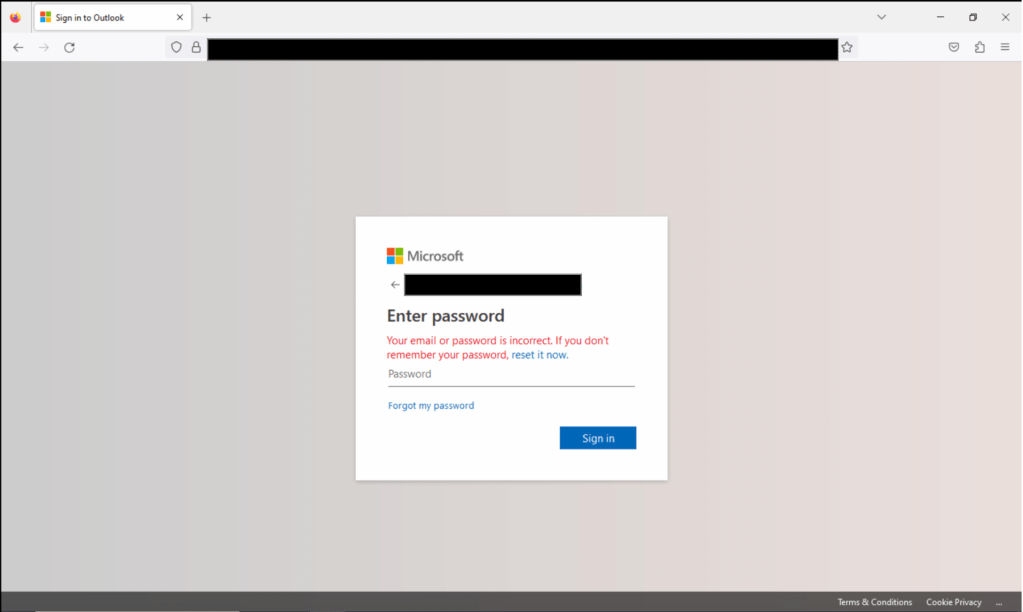
This approach will prompt multiple entries of the password by the user. A method of sanity checking; ensuring the password entered is correct by collecting it multiple times.
After 10 ‘password entry’ attempts, the same error message appeared time and time again. Validating my hypothesis of a password sanity checker. Fair to say my password was not shared but only a message to the TA :).
Closing points
- The Terms and Conditions and Cookie Privacy hyperlinks in the bottom right of the shell site redirected to the following pages, pointing to a possibly French 🇫🇷 origin on the shell template or the TA (the latter being a bit of a stretch).
- I was disappointed that this was the end of the attack chain for the phishing email. A plain old simple credential collection. I was hoping to be up against a Multi-Factor Authentication (MFA) bypass or session cookie collection attack, which we are seeing more and more of in Business Email Compromises (BECs) as of late. I hope to do a blog post on this soon.
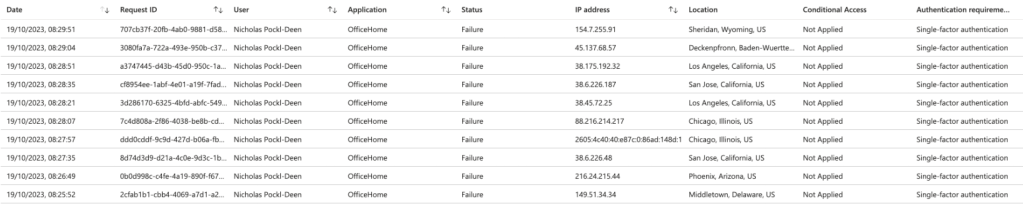
- Review of the M365 sign-in logs found some suspicious attempts prior to receipt of the phishing emails to access my account 👀 👀 👀. Fortunately, none were successful 😎.
Better luck next time TA!

 NPD4n6: Nicks DFIR blog
Leave a reply to Week 43 – 2023 – This Week In 4n6 Cancel reply